
Office 365 has quickly become a staple among the business world thanks in part to its vast array of product offerings and built-in features. From word processing to real-time instant messaging, Microsoft has delivered on their goal of helping companies pursue their passion and grow their business. So what exactly is Office 365? As per Microsoft themselves, Office 365 is an integrated experience of apps and services which consistently receive the latest features and security updates. If you are currently an Office 365 user, you should already be familiar with the core product set such as Word, Excel, PowerPoint, and Outlook. But what you may not know is that Microsoft regularly develops new features and enhancements for their products to introduce innovative ways to help your business thrive. Let’s take a look at a few of the hidden features in Office 365 that you may not know about!
Please note that Office 365 plans come in many variations. The following features may not be available in all plans. If you are unsure, please consult your Microsoft licensing agreement for a list of included products. Or, if you are a Diligex Managed IT subscriber, feel free to inquire with our team.
Microsoft Bookings
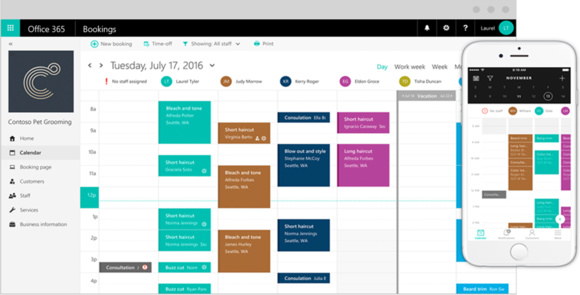
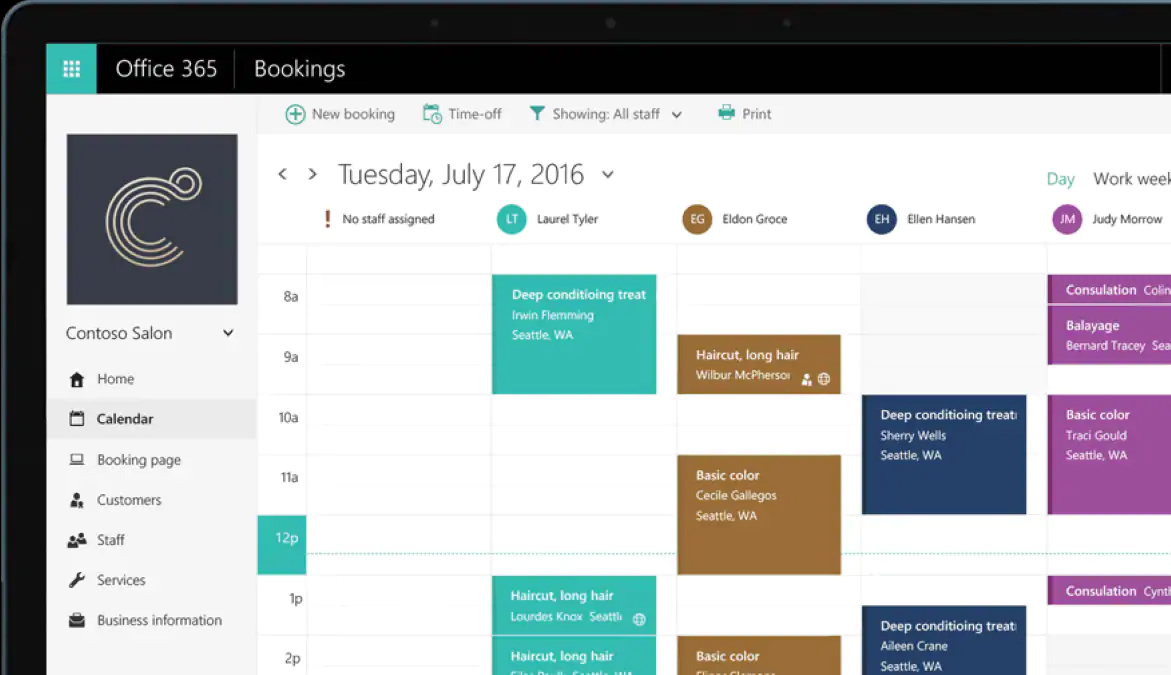 Your time is valuable. Being able to effectively manage your time is arguably one of the most important tasks in your day. And if you are in a client-facing role, scheduling your appointments can become a daunting affair. To help ease that stress, Microsoft Bookings gives you a professional and streamlined method for organizing your meetings through intuitive interfaces and client-accessible tools.
Through Microsoft Bookings, your clients can book appointments with you based on your current availability without you needing to drop what you’re doing to look at your calendar. Microsoft Bookings also helps minimize the risk of having appointment no-shows or last minute cancellations through the use of proactive reminders and simple rescheduling abilities.
Microsoft Bookings is available on the web at https://bookings.office.com/ or via mobile app on iOS and Android.
Office Lens
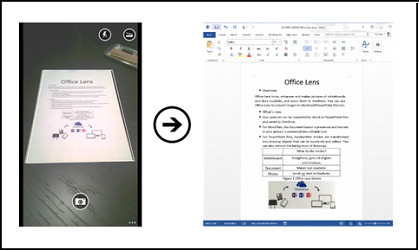 How many hours have you spent typing out information you’ve seen or received in physical form? Whether it be notes on a whiteboard, a prospect’s business card, or anywhere in between, Office Lens allows you to simply take a picture of the information in order to clean up the view and quickly convert it into identifiable text. Like Microsoft says, it’s like having a scanner in your pocket!
Office Lens is available on many different devices and directly integrates with your Office 365 subscription for data storage and sharing.
The Office Lens app is available on multiple platforms: Windows 10, iOS, Android
Co-Authoring
 If you’ve ever spent a considerable amount of time closing and re-opening an Office document so that a colleague can make adjustments before you can continue, you’ll be relieved to know that it can be a habit of the past! With Office 365’s co-authoring feature, multiple users can simultaneously work within the same file and see changes from all parties in up to real-time which can significantly increase your team’s productivity.
When using Office 365’s co-authoring feature, each team member’s activity is reflected through the use of color-coded cursors and identity markers. In addition, those currently utilizing this collaboration functionality will be represented by a marker in the file’s top-right corner.
Office 365’s co-authoring feature is available across multiple products within the Microsoft Office family. For further information as well as prerequisites, visit Microsoft’s Document collaboration and co-authoring support page.
Add-Ins
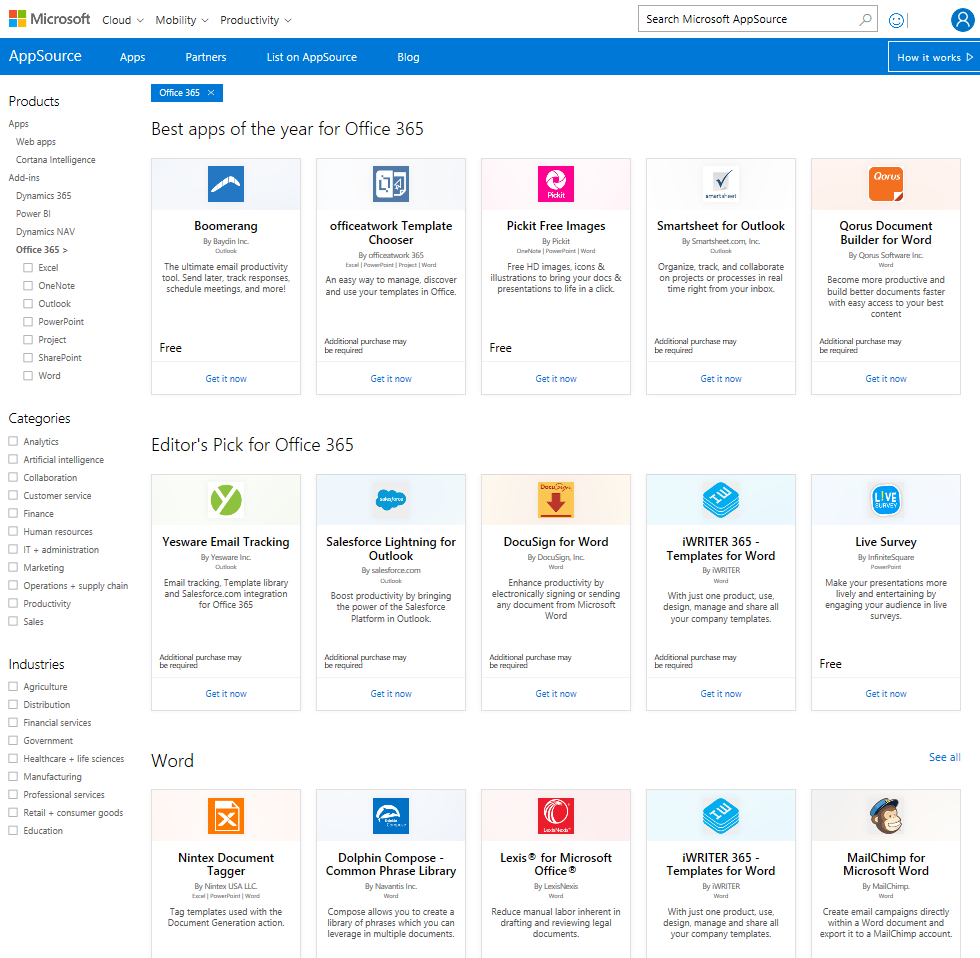 With the power of Add-Ins, Office 365’s power is not limited to just the functionality provided by Microsoft. The Office 365 software products can be enhanced even further through the use of third-party extensions. Similar to the app store you may be familiar with on your cell phone, Microsoft has aggregated all of that third-party power into their own tool called AppSource.
Whatever the need may be, there’s a good chance that Microsoft has an add-in available for it that can enrich your Office 365 experience. Do you use SalesForce? There’s an Add-In! Want to add some flare to your emails with animated GIFs? There’s an Add-In!
There is a caveat here though. Installing Add-Ins within Office 365 has the potential to utilize more of your computer’s processing power and memory. If you are a Diligex Managed IT subscriber, please let us know if there are any Add-Ins that you would like included in your Office 365 deployment so that we may evaluate whether there will be any effect on your system performance.
Microsoft Planner
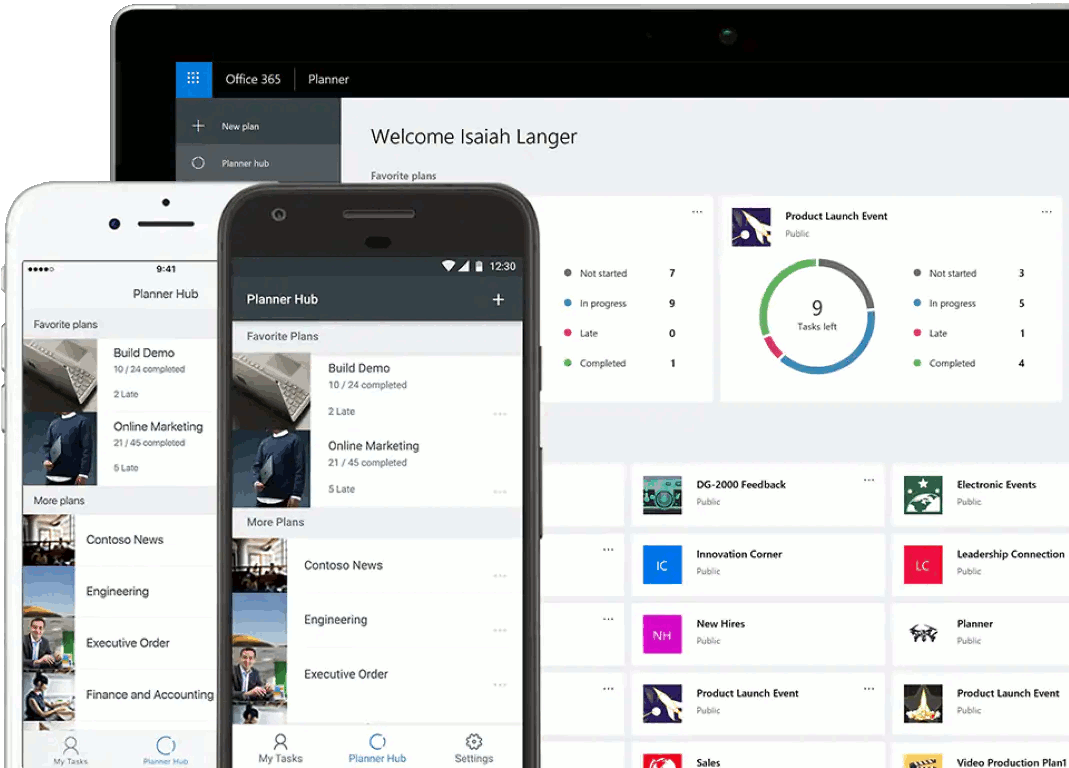 You and your team may be spending all day working within large and intricate files as part of your daily workflow. But keeping track of who is doing what and how far your team has progressed on projects can be just as complex without the right tools at your disposal. Through the power of Office 365, Microsoft has developed a solution to helping your team manage plans, assign tasks, and collaborate on status updates. With Microsoft Planner, your team can spend more time focusing on the task at hand and less on figuring out whose hand its in.
Microsoft Planner helps simplify the task of project management. Each plan added automatically creates collaboration groups on the back-end of Office 365 containing all of the plan’s resources. Gone are the days of messy spreadsheets or whiteboards for the sole purpose of divvying up tasks.
Microsoft Planner is available on the web at https://tasks.office.com/ or via mobile apps for iOS and Android.
PowerPoint Morph
 It’s a fair assumption that most individuals in the business world have either viewed or been the presenter of a PowerPoint presentation. Whether it be part of a sales meeting or an internal company agenda, Microsoft PowerPoint has been at the core of visual presentations within businesses for many years. With so many presentations having been done to date, it’s hard to imagine that that there are visual tricks that haven’t been seen before. But with the recent addition of a transition called Morph, you can add a refresh to your PowerPoint slides that will add a wow factor to your presentation.
Microsoft’s Morph transition within PowerPoint gives you the power to add smooth animation between slides that dynamically adjusts based on the objects selected. This stunning transition can make your PowerPoint presentation feel like a movie and can be done with just a few mouse clicks!
For detailed steps on how to use Microsoft PowerPoint’s Morph transition, please see the following link: Use the Morph transition in PowerPoint
Microsoft’s Office 365 suite of products has become indispensable for many businesses. If you are currently a Diligex Managed IT subscriber (thanks again!) and would like more information on how implementing Office 365 or extending your existing use can help your business succeed, feel free to contact us.
If you are not currently a Diligex Managed IT subscriber, we’d love to show you how our Managed IT services can help you achieve your goals. Contact us today to setup a consultation.